Help Center/Messages
Messages Tutorial
Chatting with subscribers — your conversation list and the message thread, where you can send PPV media and tips.
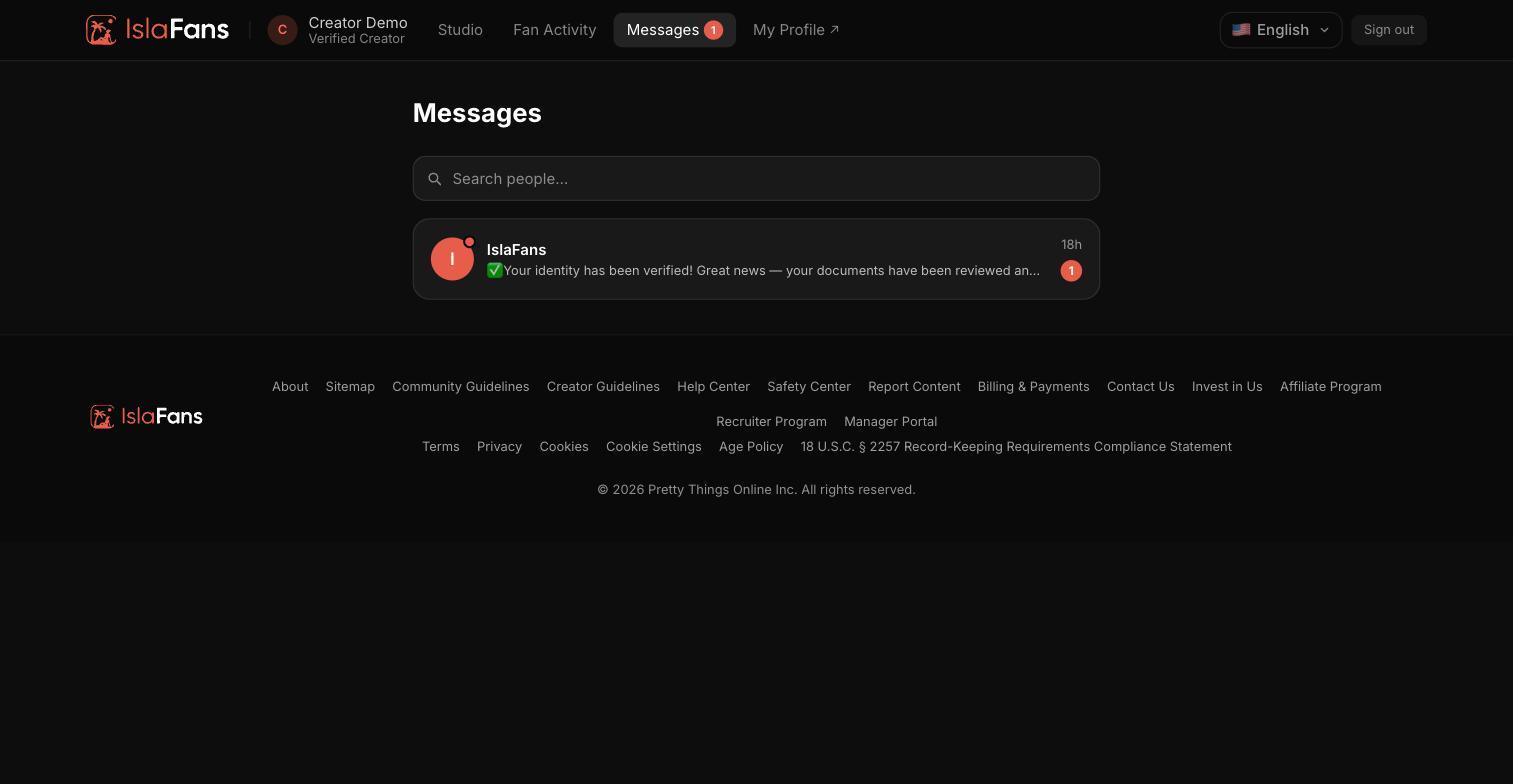
Step 1 — Your conversation list
Messages opens to a list of every conversation with your subscribers, with search to find one quickly.
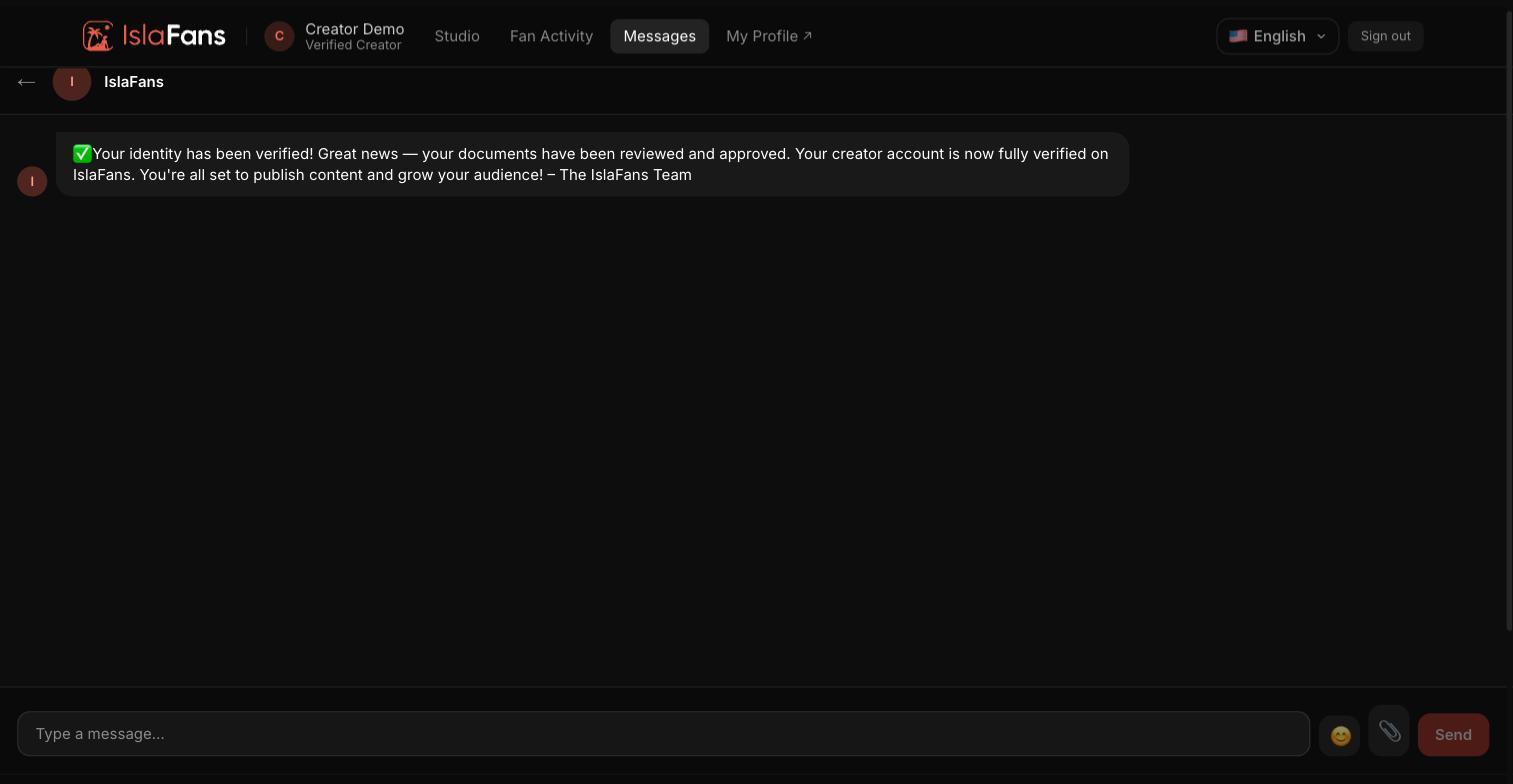
Step 2 — The message thread
Open a conversation to see the full thread and reply from the composer at the bottom. The composer also lets you attach PPV media with its own unlock price, or send a tip request.
Notes
- Media sent through the composer can be marked PPV with its own price — the fan pays to unlock it inside the thread.
- Messaging supports many fans at once via the conversation list; each thread behaves the same way.