Help Center/Payouts
Payouts Tutorial
Setting up how you get paid — adding a bank transfer or Caribe Express payout account, and submitting your tax document.
Step 1 — Add a payout account
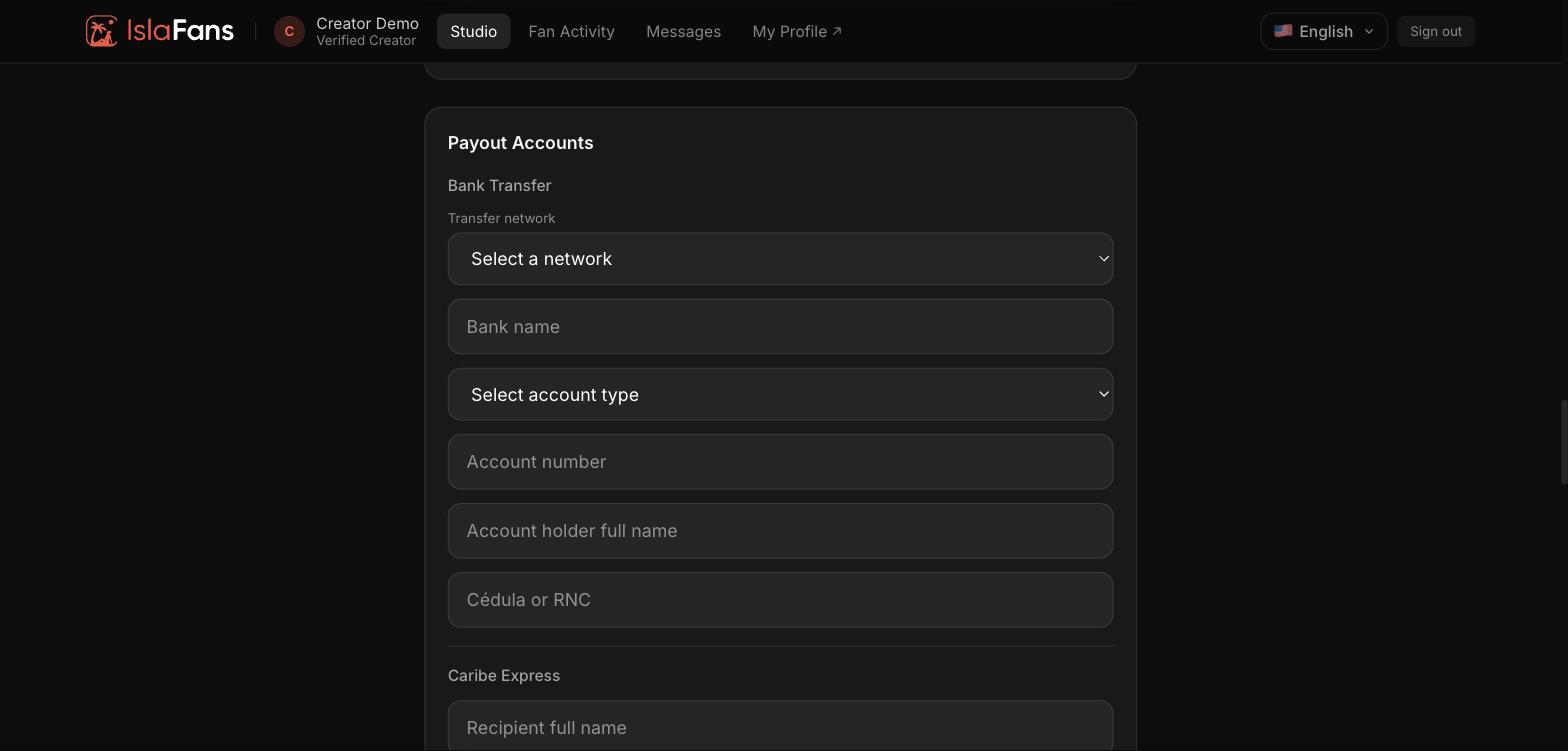
The Payouts tile opens directly into your Payout Accounts section of Settings. Add a Bank Transfer account (network, bank name, account type and number, account holder name, and Cédula or RNC) or a Caribe Express account.
Step 2 — Submit your tax document
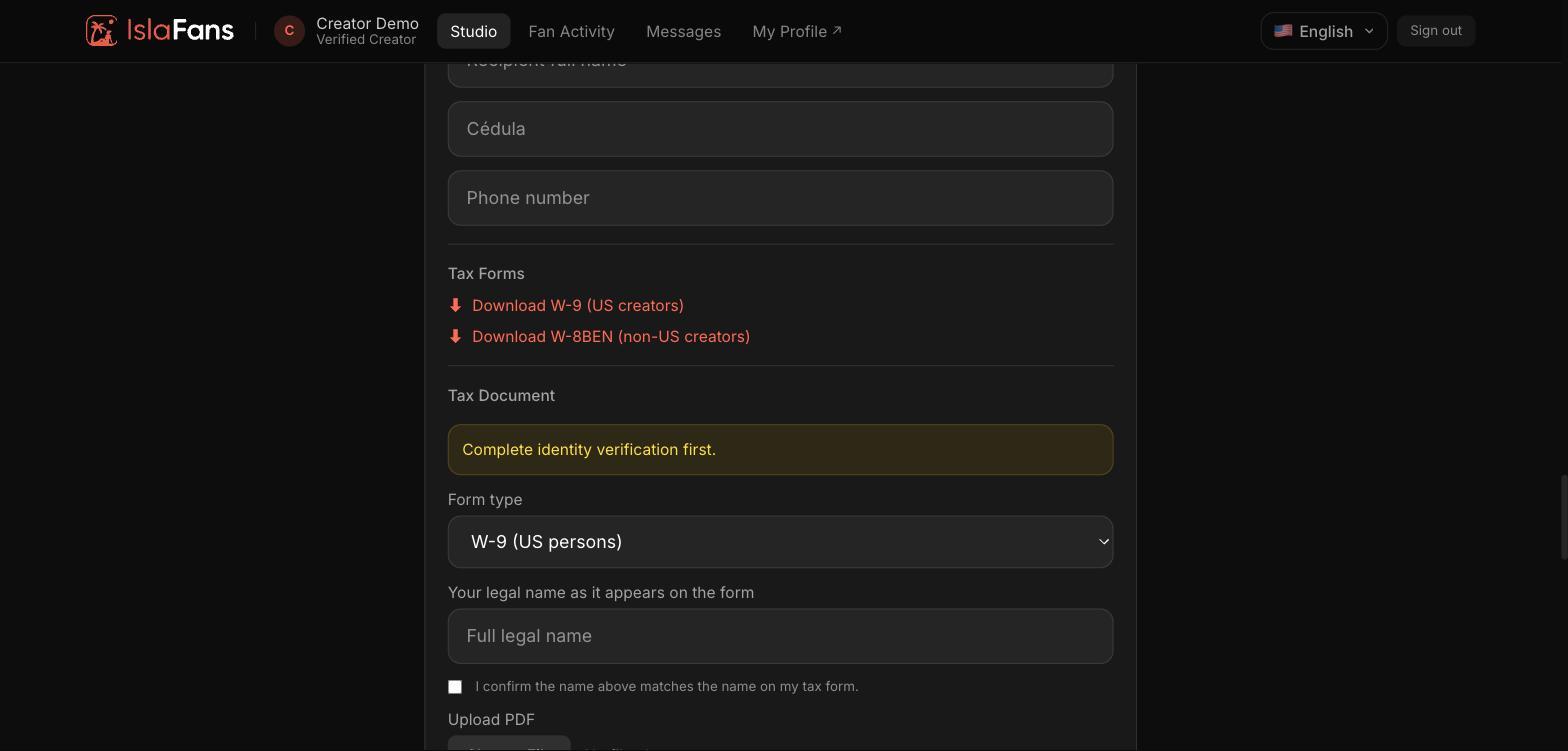
Download the correct tax form (W-9 for US creators, W-8BEN for non-US creators), fill it out, and upload it as a PDF. Identity verification must be complete first.
Notes
- Payouts is a shortcut into Settings — you'll land on the same Payout Accounts section if you open Settings directly and scroll down.
- You can only have one payout method on file at a time per type; available payout methods depend on your country of residence.